- Features




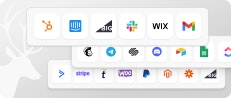
3rd-Party Network and Platform Integrations
Bring Outside Offers Into Your Program
Bring Outside Offers Into Your Program
Paste an external offer link into Trackdesk, pass the click ID through, and conversions come back.
Paste an external offer link into Trackdesk, pass the click ID through, and conversions come back.
24 Documented Platforms
Redirect Tracking Required
Conversions Via Postback
Open To Unlisted Platforms









What Makes A Platform Connectable
What Makes A Platform Connectable
Any platform can be connected if it can carry a click ID out and send a conversion back. 3 capabilities decide it.

Custom Tracking Parameters
Custom Tracking Parameters
The platform has to accept a subID or click ID parameter in its offer links, which is where Trackdesk's {cid} token goes.
Postbacks Coming Back
Postbacks Coming Back
The platform has to support postbacks, which is how conversions travel back into your Trackdesk account.

Macros In The Postback
Macros In The Postback
The platform has to insert subID values into the postback, so the click ID returns with the conversion it belongs to.
One Link Out, One Postback Back
One Link Out, One Postback Back
The whole integration is two URLs. One carries the click ID out to the platform, the other brings the conversion home.
The Outbound Link
The Outbound Link
Lives in: the offer's Landing page field
Carries: Trackdesk's {cid} token in the platform's subID parameter
Set up in: Trackdesk
Job: stamps every click with a unique ID


The Inbound Postback
The Inbound Postback
Lives in: the platform's postback settings
Carries: click ID, payout and order ID macros
Set up in: the 3rd-party platform
Job: returns the conversion to the click that earned it

What This Changes Day To Day
What This Changes Day To Day
Each connected platform becomes one offer in Trackdesk, with its own landing page and its own postback.

Affiliates Promote What You Don't Own
Affiliates Promote What You Don't Own
External offers appear in your Trackdesk account, and your affiliates promote them through Trackdesk links like any other offer.

One Dashboard For Every Source
One Dashboard For Every Source
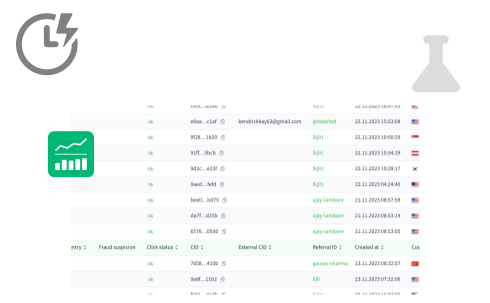
Clicks and conversions from every connected platform land in the same reports as your own program's numbers.

24 Platforms and Networks Documented
24 Platforms and Networks Documented
The help centre carries the exact link format and postback URL for each supported network and platform.

Unlisted Platforms Still Work
Unlisted Platforms Still Work
If a platform can pass a subID in its link and fire a postback, the same setup applies even when it is not documented.

Order IDs Travel Both Ways
Order IDs Travel Both Ways
The externalId parameter carries the platform's order or conversion ID, so a Trackdesk conversion can be traced back to its source.

Trackdesk To Trackdesk
Trackdesk To Trackdesk
An advertiser running Trackdesk connects the same way, with affS1 appended to the link they give you.
Three Steps: From Offer Link To First Conversion
Three Steps: From Offer Link To First Conversion
Configured Once Per Offer


Switch The Campaign To Redirect Tracking
Campaigns for 3rd-party platforms have to use redirect tracking. Every click then gets a unique CID, and that ID is what the platform sends back later.
Create The Offer With The Click ID Attached
Paste the platform's offer link as the Landing page, then append Trackdesk's CID token to whichever subID parameter the platform supports. Offers can also be created through the public API.
Point The Platform's Postback At Trackdesk
In the platform's dashboard, add a postback URL built on your tenant ID, mapping the platform's own macros to CID, AMOUNT.VALUE, and EXTERNALID.
Every Offer You Run,
In One Place
Every Offer You Run,
In One Place
Connect the networks your affiliates already work with, and keep every click and conversion in the same account.

Frequently Asked Questions
Affiliate networks: Admitad, Advidi, Awin, ClickBank, ClickDealer, CrakRevenue, Digistore24, FlexOffers, Impact, MaxBounty, Perform[cb], Rakuten Advertising and Tradedoubler. Affiliate tracking platforms: Affise, CAKE, Everflow, Offer18, Scaleo, TUNE and Trackdesk itself.
Partner and referral platforms: FirstPromoter, Post Affiliate Pro, Tapfiliate and UpPromote.